
Free · Genuine reviews only
The AI review writer that uses your customer's own words
Most happy customers would leave a review if they knew what to write. Our AI turns their own rating, taps and words into a short Google review draft. They edit it, and they decide whether to post it.

Quick answer
How does an AI review writer work?
The customer taps a star rating, what stood out and who helped them, and can add a few words of their own. The AI turns only those answers into a short draft, and it's told never to add details. The customer edits the draft and decides whether to post it on Google from their own account.
- Customer's own wordsNothing made up
- They edit and postFrom their own account
- Honest by designCriticism stays in
- FreePart of AI Reviews
Try it: from taps to a review
Play the customer. Change the stars, taps and words, and see how the draft follows only what you gave it.
You are the customer
How was your visit?
What stood out?
The draft
Pick stars and taps, then tap “Write my draft”.
- Only uses what you tapped and typed
- Your own words stay almost as typed
- Nothing is posted until you post it on Google
Demo in your browser. Nothing you type is sent anywhere.
What the customer provides
The AI review writer is a writing assistant for customers, not for businesses. It works only with these answers.
A star rating
For their visit, one to five stars.
What stood out
Quick options to tap, set up by the business, like “friendly staff”.
Service and staff
Optional: the service they used and who helped, if you list them.
Their own words
Optional, any style. The most important part, kept almost as typed.
With only a star rating and nothing else, the AI writes one short, general line, because anything longer would have to be invented.
How the AI helps
It removes the empty text box, without changing what the customer wants to say.
- 1
Turns taps into words
“Friendly staff” becomes something a person would actually say.
- 2
Keeps their words
Their comment stays almost as typed; only obvious typos are fixed.
- 3
Sounds like a person
Short, plain sentences in natural styles, not a formal essay.
- 4
Stays honest
A downside the customer mentions stays in. Mixed visit, mixed review.
The customer controls the final text
- The draft appears in an editable box: change, add or delete anything.
- Ask for a different version a few times, or write their own.
- One tap copies the text and opens your Google review form.
- They choose their stars on Google, paste and tap Post.
Your review
Edited by the customer
GrowYourReview never posts for anyone.
Authenticity and Google's rules
Google requires reviews to be based on a real experience and posted by the person who had it. The AI writer is built to stay inside those rules.
Do
- Start every draft from a real customer's own answers
- Let the customer edit and post from their own account
- Let every rating go to Google, including low ones
- Keep the customer's criticism in the draft
Don’t
- Invent details, dishes, staff names, prices or results
- Write reviews without a customer's own input
- Post reviews, or choose the star rating on Google
- Offer rewards or discounts for reviews
How this differs from fake review tools: Google review generator guide · Review guidelines
Privacy, kept simple
Privacy PolicyCustomers don't create an account and get no cookies on the review page.
The AI provider gets the business details and answers, not the customer's name.
We don't use the data to train AI models, and we don't sell it.
You see ratings, answers, drafts and private feedback in your dashboard.
What is an AI review writer?
An AI review writer helps a customer turn their own experience into a written review. With GrowYourReview, the customer gives a star rating, taps what stood out and can add a few words; the AI turns only those answers into a short draft, which the customer edits and posts on Google from their own account.
Does the AI make up reviews or add details?
No. It uses only the customer's rating, the options they tapped and the words they typed. It is instructed never to invent staff names, dishes, prices, results or feelings, and a downside the customer mentions stays in the draft.
Is it allowed to use AI to help write a Google review?
Google requires reviews to reflect a real experience and to be posted by the person who had it. An AI that only rewords the customer's own answers, which they check, edit and post themselves, keeps the review genuine. Writing reviews for people, or generating reviews without a real customer, is not allowed.
Can the customer change the draft?
Yes, completely. They can edit any word, ask for a different version a few times, or ignore the draft and write their own. Nothing is posted until they paste it on Google and tap Post themselves.
What does the AI provider receive?
The business details and the customer's answers, but not the customer's name. GrowYourReview doesn't use the data to train AI models and doesn't sell it. Customers need no account and get no cookies on the review page.
Does it work for unhappy customers?
Yes. Customers who rate 1–3 stars get the same button to post on Google as everyone, plus the choice to tell the business privately what went wrong. When a customer mentions a downside, the AI keeps it in the draft rather than softening it.
Is the AI review writer free?
Yes. The AI review writer is part of GrowYourReview's AI Reviews tool, which is free during early access, along with the review QR code and the dashboard.
The Google reviews playbook
Up next: Google Review Generator
Guide 4 of 5
 01Google Review QR CodeCreate a free QR code customers scan to leave a Google review.Read guide
 02Google Review CardFree printable review cards, plus how to make an NFC card.Read guide
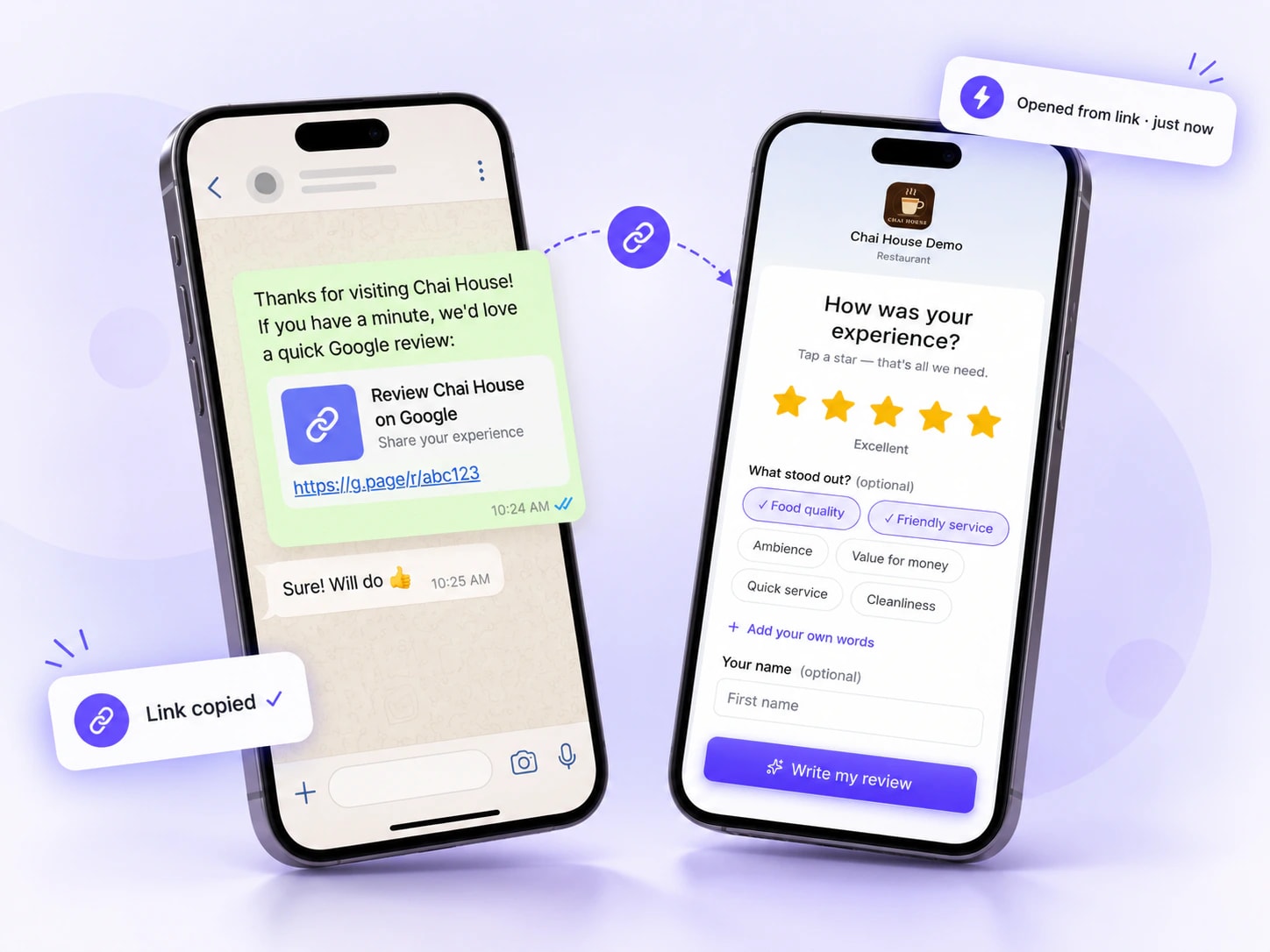 03Google Review LinkFind your review link and share it on WhatsApp, SMS and email.Read guide
 You're reading04AI Review WriterHow AI helps customers put their own experience into words.
 Up next05Google Review GeneratorHonest, AI-assisted review writing, never fake reviews.Read guide
Free for local businesses
Stop losing reviews to the empty text box
Happy customers tap a few answers and get a draft in their own words to edit and post. No app, no login for them.
- Free during early access
- No card needed
- Set up in 2 minutes
Already have an account? Log in